Polygon Texturing
Introduction
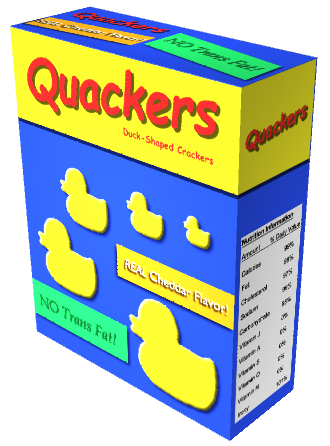
Texture maps let you modify the appearance of your 3D models and scenes in Maya. Texture maps are images you apply and accurately position onto your surfaces using a process called texture mapping. When an image is texture mapped onto a surface, it alters the appearance of the surface in some unique way. Texture maps let you create many interesting visual effects:
You can apply labels and logos to your surfaces.
You can apply surface relief details and features to a surface instead of having to model the details on the surface directly.
You can use illustrations as texture maps to create interesting backdrops in your scenes.
Most shading attributes for a surface material can be altered by a texture map. For example, color, specular, transparency, and reflectivity are examples of attributes that can be modified by a texture map.
Texture mapping is a key component in the 3D production workflow. Many production environments employ texture artists whose only role is to create and apply the texture maps to 3D models.
About the author
Mohamad's interest is in Programming (Mobile, Web, Database and Machine Learning). He is studying at the Center For Artificial Intelligence Technology (CAIT), Universiti Kebangsaan Malaysia (UKM).
Comments
Join the discussionNo comments yet. Be the first to comment.